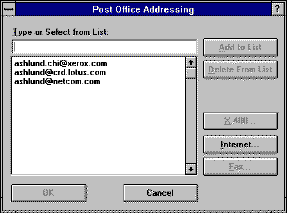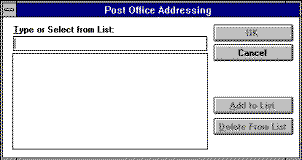
To enter an internet address in cc:Mail V2, the user must first type the name of a gateway, such as "Internet" or "SMTP" (determined by the cc:Mail administrator), and then enter the address in a "Post Office Addressing" dialog box, as shown in Figure 9. Here, the user could enter any internet address, e.g., ashlund.chi@xerox.com, and optionally add it to the list so it could simply be selected for future use. The same model applied for X400 addresses or sending a fax from cc:Mail. Users had great difficulty with this dialog box; they didn't know what they could type in the field. The revised dialog box is shown in Figure 10. Simple buttons were added to display optional secondary dialog boxes containing "templates" to fill in for each of the three types of address formats (e.g., Name @ Domain for addressing via an Internet gateway). Clicking the Internet button displays a dialog box containing two fields, labeled Name and Domain, separated by an @.